 MG Car Club

MG CAR CLUB APP
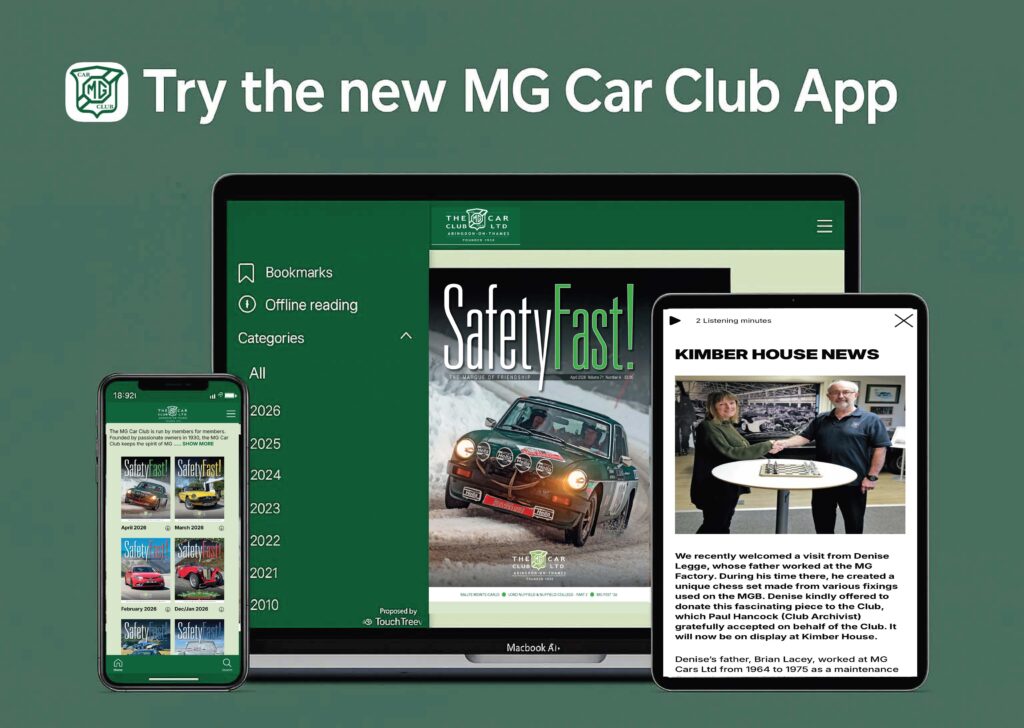
The All-New MG CAR CLUB APP
HOW TO DOWNLOAD THE MG CAR CLUB APP
🔴 For iPhone & iPad (Apple Devices):
- Open Safari on your device
- Go to mgcc-digital.com
- Tap the Share icon (square with an arrow pointing up)
- Scroll down and tap 🔴 Add to Home Screen
- Press 🔴 Add — the app will appear on your home screen
🔴 For Android Devices:
- Open your Chrome browser
- Go to mgcc-digital.com
- Tap the three dots (menu) in the top-right corner
- Select 🔴 Add to Home Screen
- Tap 🔴 Add to install the app
🚗 You’re all set!
Enjoy 🔴 Safety Fast! magazine, club news, events, and more — anytime, anywhere.